How to Make a Car Detailing Website (VIDEO BLOG]
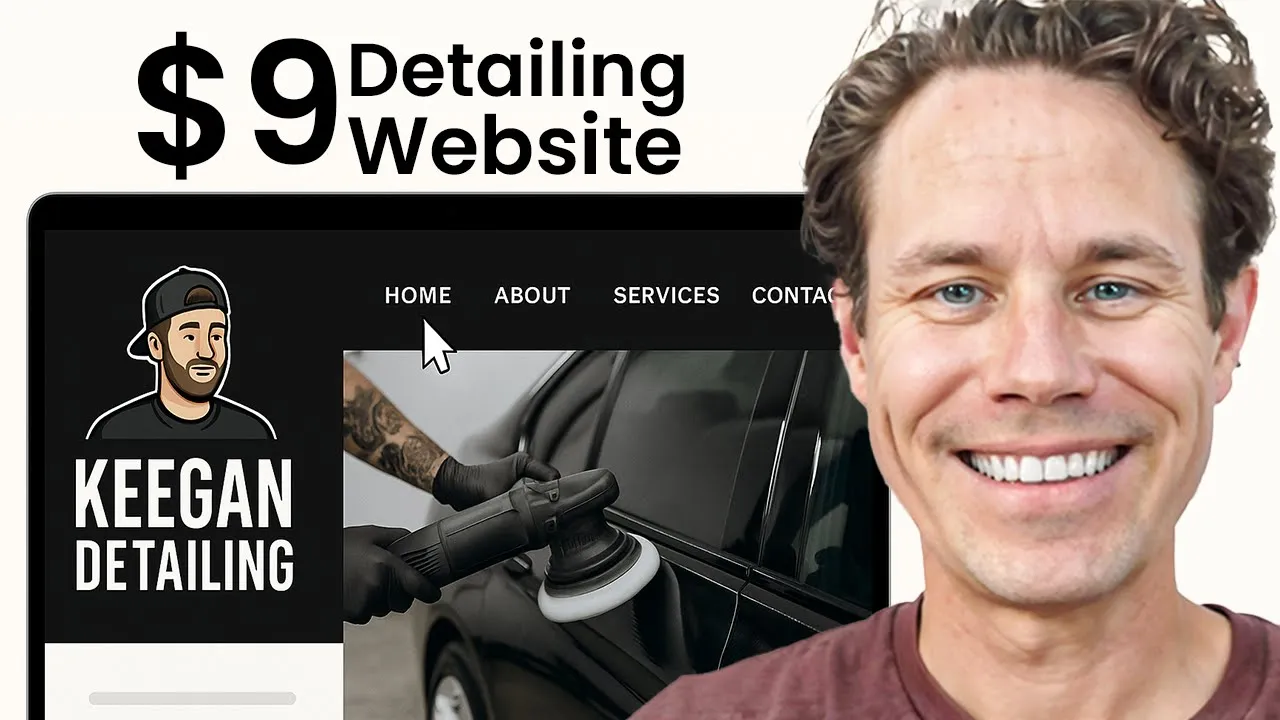
Are you looking for a professional website for your car detailing business—but you don’t want to spend a fortune and want something simple that works?
Perfect—because in this video, we're going to show you how to build a sleek, professional-looking website just like this one for only $9/month using Mighty Sites.
Video Transcript
Are you looking for a professional website for your car detailing business, but you don’t want to break the bank and you want something simple and straightforward? Great, because I’m going to show you how to build this website right here for only $9 a month. By the end of this video, you’re going to be able to build a professional-looking website just like this one for your car detailing business that’s going to help you attract more customers. I’m going to give you a tip in the video about how to use ChatGPT to optimize the copy so you get found more by local customers and show you how to build all this again for only $9 a month — it’s an amazing platform. Without further ado, let’s show you how to get this website built. Click on the link below to get started.
Now let me get started building a car detailing website using Mighty Sites. I’m going to show you step by step exactly how to do this — it’s super straightforward and easy. So first thing, after you go to Mighty Sites and you start your free trial, you look for car detailing. Type that in and you can see the car detailing service right here, so I’m going to click on that and then I’ll type in Keegan the Car Detailer. Then I’m going to select it to service business and then Denver, Colorado, United States. Here we go. Now what it’s going to do is it’s automatically going to create a website for me, so it’s going to deploy a template. Now this little box pops up — you can go through and click around to see how exactly this platform works and how to use it, as well as examples. I’m just going to X this off for now because I’m going to show you how to do that right now.
Alright, so the first thing I’m going to do is scroll through and you can see the template’s populated with a bunch of stock photos and copy, so we’re already off to a really good start. One thing you may want to do at first is go in here and add your contact information. So I’m going to just put in made-up contact information so you can see how it populates, and then if you want to put your address you can, or if you just want to put your zip code you can put that in too, along with your address, and it’ll show up there — if not, that’s okay. So I’m just going to save that, and then you go and you copy and paste your social media links. You just go to Facebook or Instagram, copy the URL up here and type it in, and then that would just be facebook.com/ usually your business name, Keegan Car Detailer, and that’d be the same for any social media links. You just pop them in the right spot and then you save your social media links, and they show up there and they’re going to show up over here in the footer so that they’re on every page of your site and people can easily find your contact information.
That’s the first step. Then I like to go in here and update this section. One of the things that can make your website look really professional is a logo. If you don’t have a logo, go to Canva and just create a design and select logo. So I’m going to go in here, here’s a logo, and then I’m just going to search for car detailing. Here’s a cool car detailing logo — that’s pretty cool. You can just type in here and I’ll just put Keegan and then just put Car Detailing. Now I’ve got a logo, so if you have one, great; if you don’t have one, there you go. So, Keegan Car Detailing. Alright, then I just click here and I download my logo — it’s going to help my site look really professional. Share, download. So I’ve got the logo. Now I just go back over here and then I browse my computer for my logo — here’s my car detailing logo on my computer — and then I’m going to show you how to make this really fit too. So I’m going to save that, and there’s my logo. Now you can see I probably want to make it bigger because it’s a little hard to see, so I’m going to click on this make it bigger button and it’s just going to make it bigger, but I’m also going to click on this little pencil here and I’m going to edit this so I’m going to bring this all down and crop this. Now you can see there’s a whole bunch of tools built in here that you can use to edit your images like this, but all I need to do is just crop it now. So I’m just going to click done and then that’s going to re-upload the image. I’m going to click save — there we go. Now it’s much more readable.
Now I can scroll down through and I’m going to leave most of this as is, but I’m going to show you here — professional affordable car detailing service. If somebody clicks on appointment, it just goes to this contact form by default, but if you want to use appointment booking software, just search for like free appointment scheduler. There’s SimplyBook.me, Square has a free booking tool, Calendly obviously — that’s a really good one — Google appointments. So you just pick one of those and they’re going to give you a link and all you do is you just go over here to update action, and then instead of going to your lead form you just put another website and you just paste the link to that that you want to. You can even use Google Forms or things like that, but a lot of times you just want them to contact you and so because then you can figure out a good time to schedule your car detailing service instead of having them book it themselves. So I’m actually going to go to this button and instead of book an appointment I’m just going to say contact. I’m just going to say schedule an appointment today or you can say contact us today, whatever you want to say, and then that’s going to go to lead form. They fill this in and then you’ll get their lead and call them to schedule an appointment.
You can change this background image too. So if you want to connect your Instagram, browse your computer, or search our photo library — we have tons of library photos here. So just put like car wash or something and you’re going to see tons of stuff comes up here that you can use, different stock photos. I like the one that’s here personally, but you can use all of these pre-licensed for you stock photos — there’s literally thousands. Any place on your site, you can also update the design and the layout if you’d prefer, and then you can also come right over here and change the colors. So I’m actually going to look at and see if there’s like a black color theme — just see how that looks because it goes with my logo. Don’t love the way that one looks so let me go back here, check it out — that’s the navy one, that’s pretty nice. Just see if there’s an all black version. Alright, so I just made it gray — I kind of like that for my theme. But again, you can choose from all these different color palettes here and just pick one that you feel like is a good fit for your business. You might like a brighter color, you might like a more neutral color — you just pick through any of those color palettes and find one that you feel like is a good fit for your business. So right now I’m just going to go back here and probably just leave it with the navy site version, maybe the gray one — there we go. But I can change that at any time too.
Right here you can update any of these sections, the text, just by clicking in and changing the text and saving the content. You can also change the layout for these sections — so if I want to change this to, let’s just say update design and I wanted the photo to be on the left instead of the right, I can just easily do that and then save the change, and now it’s on this side. That’s how you get that set up. Now what I would suggest you do down at the bottom is I would suggest you add your Google reviews because that’s going to help create legitimacy for your business so that when people are finding you they understand that you’re a legit business. So let me go in here and the tool that we use is Elfsight. You can sign up for a free account with Elfsight and then you get access to all these widgets that you can create. So we have other videos on how to use Elfsight — it’s super straightforward — but all you do is connect your account. So I’m just going to connect my Google reviews, you click on install, you copy the code and I’ll put the link to this in the description as well. You just paste that code right in here and you save the widget and then close it. Now when I switch from editing mode to stop editing mode and I scroll down, you can see my website’s coming together pretty professional already and now I’ve got my Google reviews right here on my site too. Contact form, contact information, I can edit any of these services that I offer, got my logo and now I’ve also got my Google reviews on here so the site’s looking pretty sharp.
Now I’m going to show you how to add more pages to your website. So I’m going to go back to activate editing mode and then I’m going to click here on add a new page and then what I’m going to do is I’m going to put interior detailing. So I’m going to add a new page about interior detailing. Now once I add the new page it’s going to take me to the page, the interior page, but what I want to do is update this and add update my menu. So two things I want to do. First, I’m going to add a homepage to my menu and just select homepage — where does it go? My website, home, header banner section, confirm, add to menu, then bump that up to the top. Now I’m going to put interior detailing page and then I’m going to choose where that goes and that is going to go down here to my new page, interior detailing, confirm, add it to my menu and then I’m going to put that right after services. So I’ve got like an overall services and now I’ve got my interior detailing. So now I’ve got interior detailing and now I’ve got my page. So I’m going to just put in some content here about my interior detailing page. Just for the sake of time I’m going to use ChatGPT — so write a headline, subheadline, and body copy about my auto detailing, and this is good for SEO too. Auto detailing business for my interior detailing page of my website. I offer this in Denver, Colorado. Optimize the copy for local SEO. So I’m just going to type that in. You can do this too or you can just write it yourself — whichever you’d prefer, but ChatGPT is pretty good at this stuff now.
So here’s my headline: Interior Auto Detailing in Denver that Makes Your Car Feel Brand New. That sounds pretty good. So I’m going to update this section here, put in the title that ChatGPT just gave me. Here’s the subheadline — so this is also optimized to help my page rank in Denver. So I’m going to put the subheader and then here’s the body copy. So I’m going to just copy all this and it’s even got some emojis in there for me, which is cool. I might just want to play with the formatting here — just do that and then save the content. Now you can see, really nice interior page, super straightforward, quick and easy like that. Now if I want I can of course update the image or the action — let’s just say I want to add a button here. It’s going to say Contact Us Today. So it’s always good to have a call to action here, and then I’ll choose the link and I’m going to go to my website and then the footer section, going to the lead form section. So I’m going to confirm that and then save the button, close. So you can see now I’ve got a really good page going here for my auto detailing business, car detailing service, and this is my interior page.
Now, last thing I want to add probably here is something from Elfsight. So let me go back and check out Elfsight again. There’s a whole bunch of different apps that you can use and again, Mighty Sites is only $9 a month so it’s super cheap and affordable to build a website for your business using this platform. So I’m going to go over here to Elfsight and let’s just say I want to add a YouTube gallery. I’m going to edit this one and I’m going to find, let’s just say, interior car detailing for beginners — it’s fine, let’s just say you have a YouTube channel. So this is just an example. This is automotive detailing on my other channel. I purchased this, okay, and then I’m just going to go here, I’m going to copy this and all I have to do for Elfsight is plug this in here and then it’s going to update. So I’m going to click publish and this is just to give you an example of the different types of things you can do. I’m going to copy the code...